MyCard App - We recommend you consider the App and Online Terms of Use document before making any decisions regarding this product. This product is issued by National Australia Bank Limited. The MyCard App is compatible with Android and iOS, minimum platform requirements apply.


Features of the MyCard App
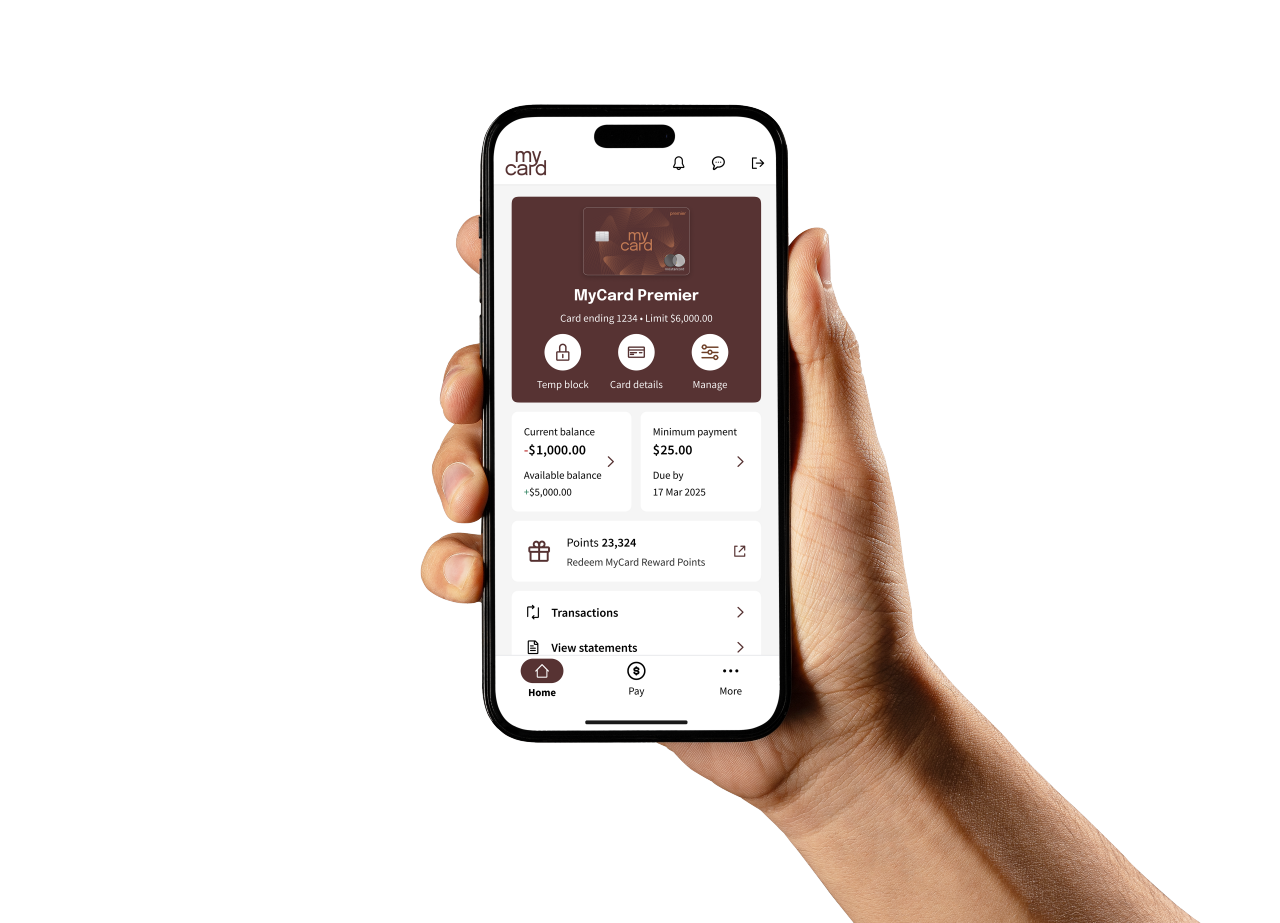
Here are just some of the great features the MyCard App offers you.
Quickly check your balance
Check your current available account balance securely and conveniently.
Quick access to statements
Review your transactions and download up to seven years’ worth of your account statements.
Simple, secure log in
Choose a 6-digit passcode or enable biometrics for quick and easy login to your account.
View your rewards balance
If your card is enrolled in the MyCard Rewards Program, view your Points balance and redeem through the app.
Flexibly control your card
Temporarily block, unblock, and reissue lost cards, reset your PIN, view digital cards and manage contactless, online and overseas payments.
Easy payments and transfers
Set up Direct Debit (Autopay) payments to your card, pay bills with BPAY and more.
Download the MyCard App
Not already registered?
- Download the MyCard App from the Google Play or Apple App Store
- Retrieve your new MyCard user ID and set a new password directly from the app. First time users will be guided through these steps once you get there
- Complete set up of your MyCard App settings, including biometric login if you prefer to use it when logging in.


FAQs
Go to the login screen in the MyCard App and select the appropriate link to retrieve your MyCard user ID or reset your password.
Your passcode is a simple alternative to using a password to log in to the MyCard App. You’ll be guided to setup a 6-digit passcode or enable biometrics when you first log in to the MyCard App. To set or change your passcode, follow these steps:
- Log in to the MyCard App
- Tap More
- Tap Login & Security
- Tap Change passcode
- Change your passcode.
You'll need to set up login details to manage your card and rewards online. Once you have received your new card, download the MyCard App and you will be asked to set up your login credentials.
Already have your login details?
If you've already set up your new user ID and password, you can use these details to log in to the MyCard App. If you can't remember your login details, you can retrieve them from the login screen of the app.
Biometric login
If your device supports biometric login (like Face ID or a fingerprint), you can set this up in the new MyCard App under Log in and security.
MyCard App
- Open the MyCard App
- Select Forgot your password?
- Follow the prompts to reset your password
MyCard Online
- Go to mycard.com.au
- Select Log in
- Next, select Forgot your password?
- Follow the prompts to reset your password
An OTP is a one-time security code that is sent by SMS to your registered mobile phone.
OTPs allow us to authenticate your identity before you log in, perform certain transactions or request changes to your account details.
Check your contact details in the MyCard App or MyCard Online to confirm that your registered SMS security number is up to date.
MyCard App
- Log in to your account
- Go to More
- Select Profile settings, and then select Manage details
MyCard Online
- Log in to your account
- Select Profile settings, and then select Manage details
If the SMS security number is correct and you still aren't receiving OTPs, or if you need to update the number, contact us for assistance.
You can still receive OTPs via SMS to your registered mobile number when overseas, however please be mindful of potential charges from your mobile carrier.
Other helpful guides
Explore these other helpful topics that might interest you.
Minimum operating system requirements
We make regular updates to the MyCard App to fix issues and improve your experience.
We recommend you have the latest operating system on your device, as new updates can include important security updates and improvements.
If your device does not meet the minimum operating system requirements, you can update your operating system or you can access your banking from MyCard Online on your mobile browser.
For guidance, visit the iOS support page for Apple devices or Google support page for Android devices.